
Capacity control for your design and sampling processes
Design departments are often under constant pressure—handling urgent requests, shifting priorities, and tight deadlines. Without clear visibility of workload and capacity, this can lead to missed deadlines, frustrated teams, and dissatisfied customers.
The Design Planner module for SPOCS gives you full control over your design and sample workload, helping you plan, prioritise, and deliver with confidence.
Take Control of Your Design Capacity
No matter how advanced your CAD systems are, your design team still has finite capacity. Design Planner ensures that this capacity is managed effectively, so commitments are realistic and achievable.
Instead of reacting to incoming requests, you can proactively plan and allocate work—improving efficiency and customer satisfaction.
How It Works
Design Planner integrates seamlessly with SPOCS:
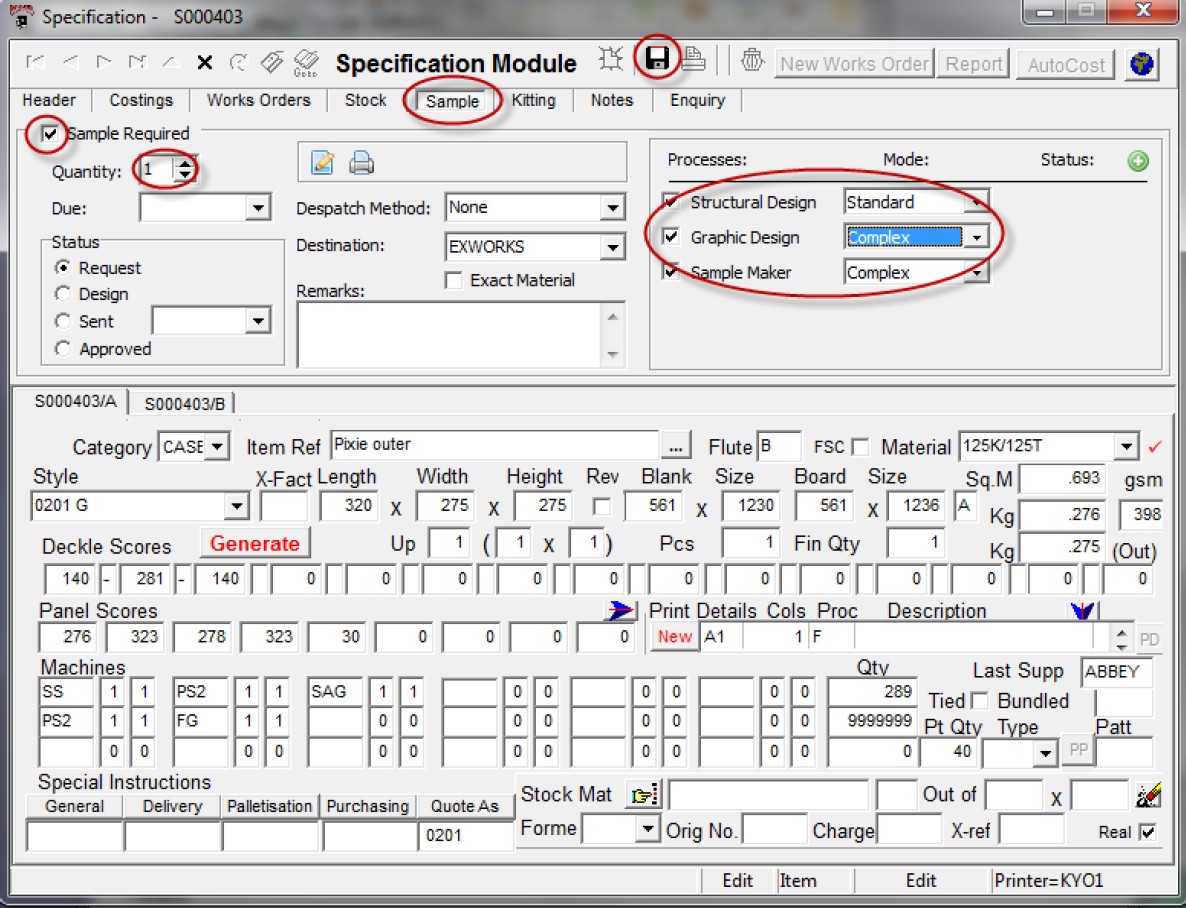
- Design requirements are automatically created when specifications are raised
- Tasks are generated instantly within the planner
- Default processes are applied, with time estimates based on complexity
- Additional processes can be added as needed
Design managers can then review, adjust, and allocate tasks across the team, ensuring workloads are balanced and deadlines are achievable.
Intelligent Workload Planning
Every design task is unique—and so is every designer.
Design Planner allows you to:
- Assign tasks based on individual skill levels and efficiency
- Adjust time estimates for more accurate scheduling
- Categorise work as simple, medium, or complex
This ensures planning reflects real-world performance, not just standard assumptions.
Visual Scheduling & Real-Time Insights
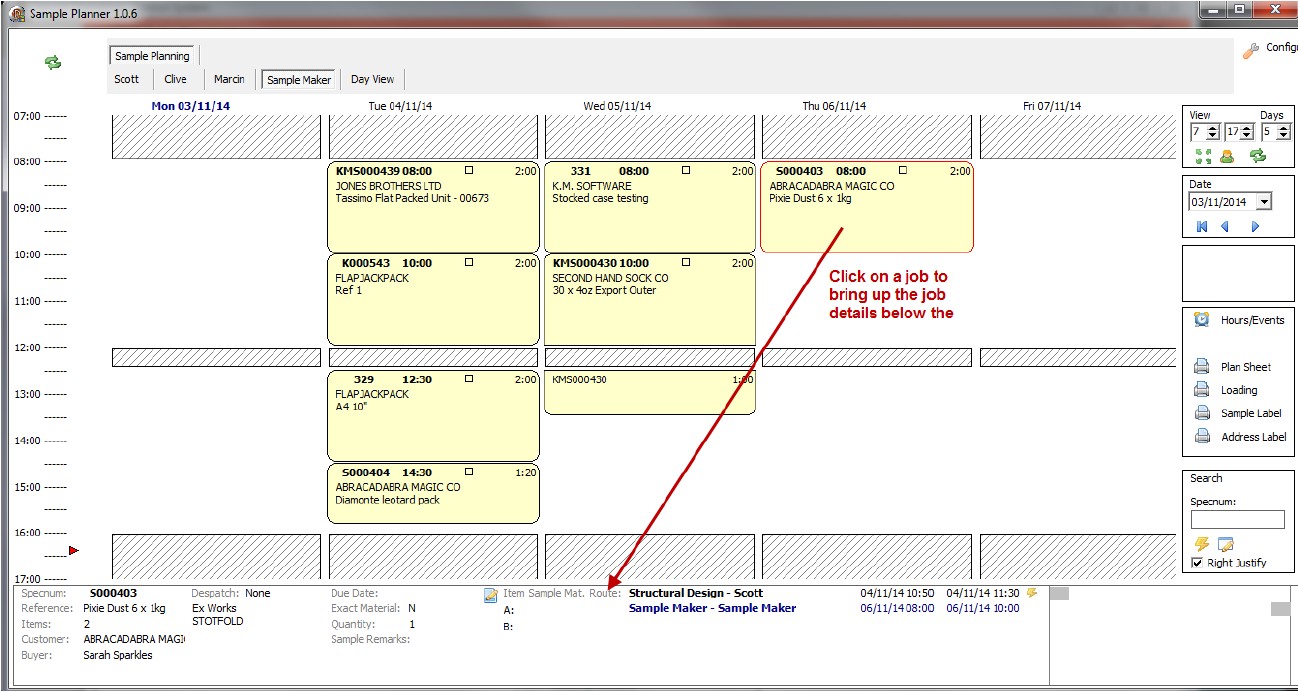
A clear graphical interface displays all design tasks as time blocks, making it easy to:
- See who is working on what
- Identify bottlenecks instantly
- Reprioritise work with drag-and-drop simplicity
- Highlight late or at-risk tasks
When urgent jobs arise, you can immediately understand the impact—allowing you to make informed decisions and communicate clearly with your team and customers.
Flexible Access Across Your Team
- Designers can access the planner in read-only mode for full visibility
- Managers retain control to reschedule and reassign work
- Printouts can be generated for meetings or daily planning
This ensures everyone stays aligned, while maintaining control where it matters.
Why Choose Design Planner?
- Improve on-time delivery
- Reduce stress on your design team
- Make realistic commitments to customers
- Gain full visibility of workload and capacity
- Enhance communication between departments